Tag Archive for Education

Be a Shield CPR Refresher

This is a featured post.

cprProtecting your family is obviously important to everyone. This summer the American Medical Learning Center is trying to raise awareness on the importance of learning CPR with their Be a Shield campaign.

Learning CPR isn’t as difficult or complicated as one might think. Thanks to ACLS campaign, the statistic of over 70% of adults who aren’t comfortable administering CPR can change with their free program. In just six easy steps you can brush up on providing CPR to not only infants, but children and adults as well.

Through the campaign they are trying to raise awareness and knowledge for the need to have life saving skills like rescue breathing and chest compressions. The steps are simple enough that even tweens and especially teens can learn them as well. Who knows, but you might just need the refresher course. Hopefully, the life saving skills won’t be needed, but you never know what might happen. And it’s never a bad idea to be prepared.

It doesn’t take much time to brush up and re-learning or learning CPR this summer doesn’t sound like a half bad idea to me.

Protect your family and find out more about the Be A Shield campaign here.


signature

Morton Subotnick’s Pitch Painter App Review

PP1


Morton Subotnick’s Pitch Painter App is an award winning app that is available in your iTunes store for iPad with an iOS of 5.0 or later. Finger Painting and Music combine 2 things that your 3 to 5 year old love to do! Without the Mess!

pp5

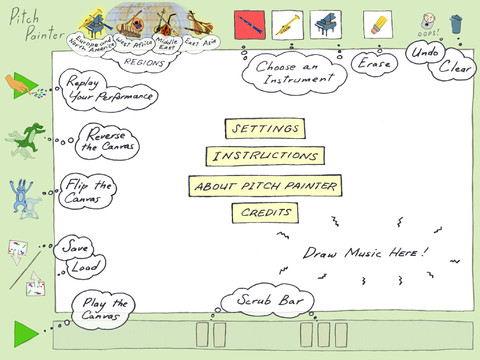
First choose the regional instruments you’d like to play. The regions are Europe and North America, West Africa, Middle East, or East Asia.  Each region gives you 3 different instruments to choose from.

pp6

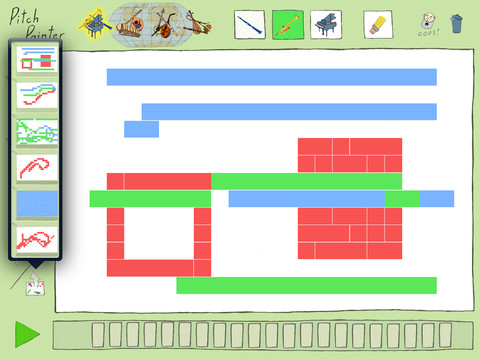
For example – Europe and North America has a Clarinet, Trumpet, and Piano.  When the clarinet is selected it will give you a tone of a clarinet, then just finger paint and the tone will follow your child’s finger.  Then change to a trumpet and get another color and sound.  Your child can record their music and play it back.  There are options to play the music backwards or upside down!

I really like this app, it’s soothing to the ears and fun!  My daughter really enjoying recording her finger painting music and playing it back for us to hear. It’s a big hit in our house!  I think your pre-school aged child will like it too!

PP2


signature

Eggy Spelling Grade 1 App Review

spelling 1


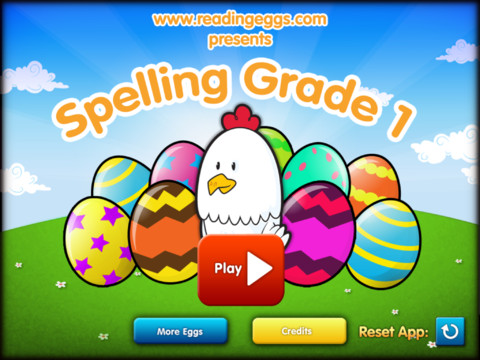
The final installment of the Eggy apps is the Eggy Spelling Grade 1 app.  The app is available in your itunes store for an ipad with an iOS of 4.0 or higher.
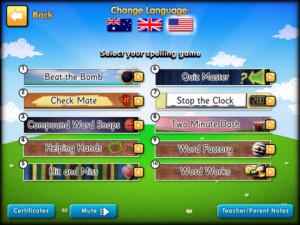
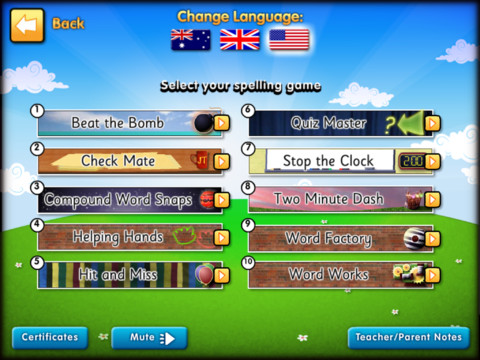
Spelling 2Look at all the options available for your speller!  Each game you can choose has 5 levels. A is the easiest and E is the hardest level.

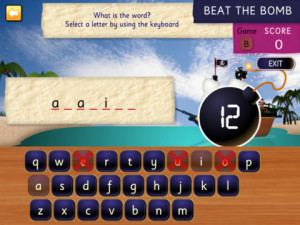
#1 – Beat the Bomb!
spelling 3


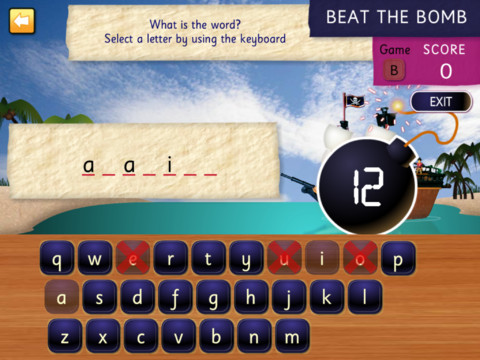
Your pirate ship is in the water.  You have 15 tries to fill in the blank letter to spell the word.  If you can’t spell the word in 15 tires, the bomb goes off and your pirate ship sinks!


#2 – Check Mate

You need to help edit the “Backwater News” sentences.  Your given a sentence with a word spelled incorrectly.  If you correct the spelling you move to the next sentence.  Incorrect answers lead to a “wrong” sound, you get 2 tries before you move to the next sentence.

#3 – Compound Word Snaps

Aboard “Gallicus 1” you snap words together to make compound words.

Your given 10 words at the bottom of the screen.  You then must drag each word to make 5 word that will “snap” together or make compound words.  When you finish making your 5 word you click check.  It will them check your work and let you know if you missed any words, then tell you how they should have been.

#4 – Helping Hands

You’ve arrived at “Wendy’s Wonderful Word Factory”, time to start working.  Your given a sentence with a highlighted word, to which you must choose a “helper word” to complete the sentence.  For example – The sentence is ….

“May all your wish come true!”  With the word wish highlighted.  Your then given “s” or “es”.  Then you type “wishes” – so then wish becomes wishes.  Making your sentence “May all your wishes come true!”

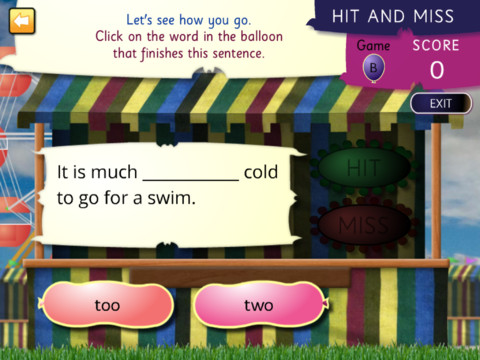
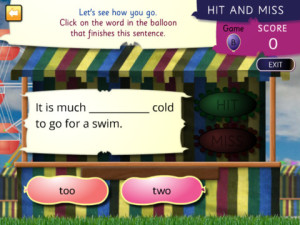
#5 – Hit and Miss

Let’s play balloon pop!
Spelling 4


#6 – Quiz Master

Ready to play everyone’s favorite quiz show?!  Do you have what it takes?

“What is the first month of the year?”

J _ _ _ _ _ _

“What do you sleep in at night?”

B _ _

After you type the answer, click check to find out if you spelled the correct answer!

#7 – Stop the Clock

Are you ready?  Think fast.

You are given 5 sentences.  Each sentence has a missing word and each missing  word starts with the same letter.

Once you fill in the spaces, let’s hit the check button and see how many you got correct!

#8 – Two Minute Dash

Here we are back at “Wendy’s Wonderful Word Factory” and the workers need help building a new word wall.  Wanna help?

Each brick shows part of a word.  You have 2 minutes to to make proper words.

#9 – Word Factory

Let’s go back at the factory.  You need to help the workers!  They forgot to add some important letters!

Most of the missing letter are vowel letter.  example “T_ KE”  Then you would choose from the available choices, to make the word TAKE.

#10 Word Works

Some of the words are broken at Wendy’s Factory and need they your help fixing them!

“I like to do jigsaw Puzzl _ _.” you need to type in the correct letters to finish the sentence.

Once all the levels are finished your child will receive a Certificate of Achievement that can be emailed!  Really cute and your child will love to hang up their achieve award!


signature

Home Depot – Free Kids Workshops

hd-logo


Looking for a fun and free activity for your kids!?  Check out Home Depot’s FREE kids Workshops!  The next workshop is focused on the upcoming movie “EPIC” and your child will be building an herb planter!  It’s on May 4th!  Home Depot also has 2 more upcoming workshop’s in June & July!

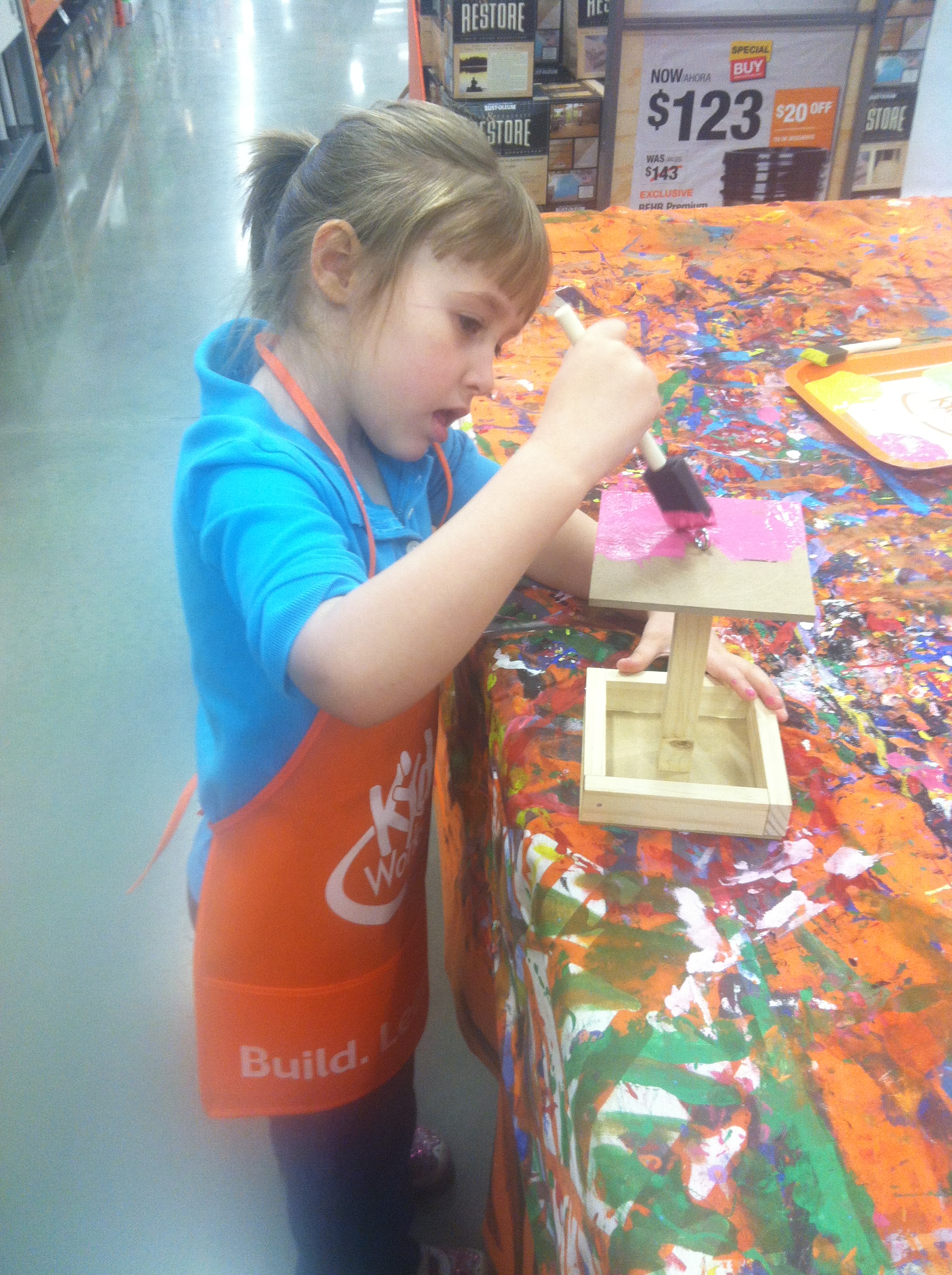
So far, my daughter built a bird feeder, here she is painting it.

160

She received her very own Home Depot apron, pin for her build, and a certificate!  She is very proud of her accomplishments!

Head here or go to Home Depot’s site for more information!


signature

Tap the Cat – Reading Eggs Review

95124_BlakePublishing_a32601_TapTheCat


Continuing with the Eggy apps, here is Tap the Cat – Reading Eggs Review.  Available for iPad (ISO 4.0 or later)

Reading 1


When you begin and tap the play button the balloons pops.


reading 2

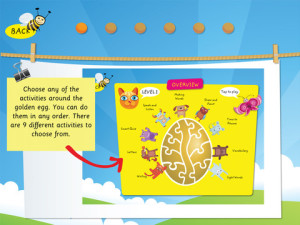
Then you are brought to this screen,to choose which of the 9 activities you’d like to do.  There’s writing, letters, smart quiz, speak and listen, making words, draw and paint, time to rhyme, vocabulary, and sight words.


reading 5


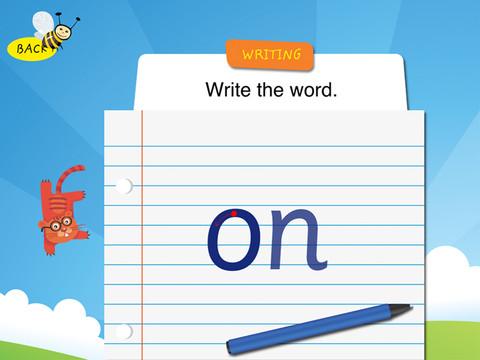
Writing – A piece of lined paper and a word are on the page, your child will then trace the word and asked if they like their writing.


Letters – You find the matching letter (only 4 are given at a time).  They tell you the letter as well as the sound that letter makes.  Great for beginners!

Smart Quiz – listen to the question and find the matching picture.  Example “Carrot begins with c.  Which on begins like carrot” the pictures would be a lion, rabbit and cat.  Once you choose cat you get a little tune.  The questions do change to keep you child involved.  The next example question is Ï look like a mouse, but I am bigger.  Who am I?” The pictures are a chicken, rat and frog.

reading 3


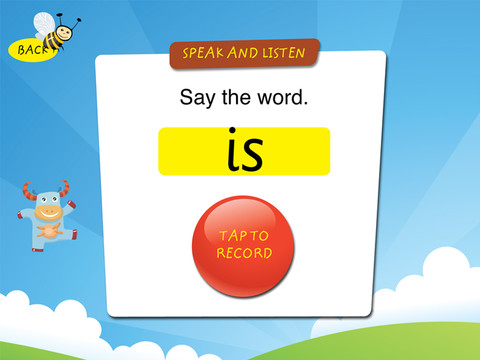
Speak & Listen – This is a recording one.  Your given a written word and asked to tap to record yourself saying the word.  Then you can play it back and are asked if you said the correct word.


Making Words – A picture of a word is shown (Example – Pan), the app will then sound out the word Pan and you are given blank tiles to fill in the word out of 4 letters.

Draw and Paint – Is just that, you pick a picture and color it.

Time to Rhyme – A figure of a house is given with this phrase “On the house I see a _____”, above the house are 3 pictures a mouse, hat, and ear of corn.  Then you move the mouse to the house and get a congratulations.
Vocabulary – Tap the word to hear it and then match it to the picture.

reading 4


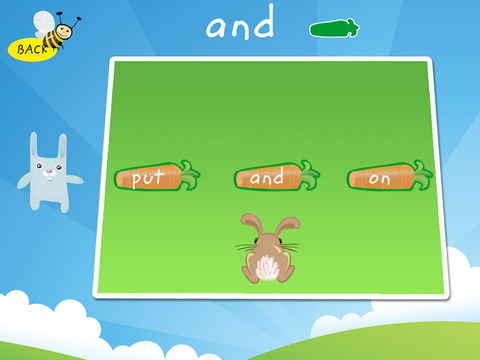
Sight Word – Help the bunny get home.  In this repetition app, the bunny jumps on about 6 carrots all the same word to get home.  Another great one for the beginners.


I really like this series of apps, lots of learning and not realizing it.  There’s one more!  Look for my last Eggy app – Spelling!


signature

Lowe’s Build & Grow – Free Activity for Kids!

lowes-build-and-grow-logo


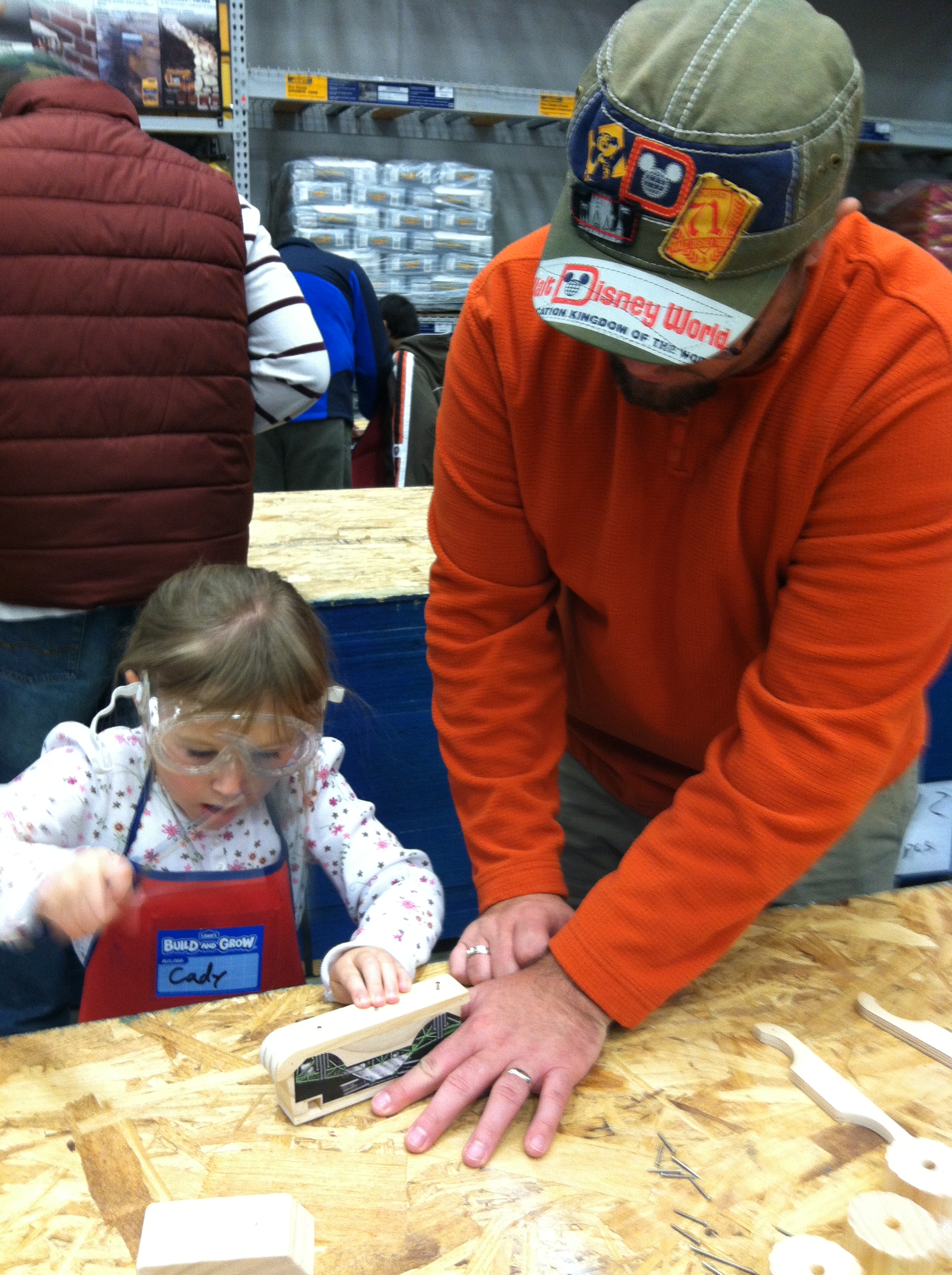
I’m always on the hunt for free and fun activities for my family.  Lowe’s has a fantastic program called Build and Grow. On my daughter’s first visit she received a Lowe’s apron, a hammer & protective goggles to borrow and her project.  When she/we finished the project we returned the hammer and protective goggle and she was given a certificate and a patch for her apron!  She loves the iron on patches that she earned and loves to show them off on her apron.

035

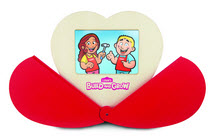
So, far we’ve built 2 monster trucks and a “Croods” the movie planter.  Our next build is a sweetheart frame on May 11th.

77f64811ddClick here or head over to Lowes.com and search for Build & Grow to sign up at your nearest Lowe’s for the next free activity for kids!


signature

Healthy Classroom Station Review


logo (1)

The Healthy Classroom Station Review

KIMBERLY-CLARK PROFESSIONAL HEALTHY CLASSROOM STATIONKimberly-Clark Professional is taking the lead in helping transform schools into healthier learning environments.

Good Hygiene habits should begin early. The Healthy Classroom Station brings accessible product solutions to the classroom. Students learn to WASH, WIPE, and SANITIZE to help reduce the spread of germs.

Statistics show that the average student misses 4.5 school days each year due to preventable illness. Symptoms of illness are bad but so are the side effects… when children are ill their performance suffers. Student absences are linked to lower achievement and higher school dropout rates. Even when ill students are physically present but they often perform poorly. Further more, it is not only the student that is affected but parents’ work in affected. In the U.S., caring for a sick child results in 126 million lost workdays and $14.5 billion lost in productivity annually. This affects schools because schools spend over $2 billion on substitute teacher pay each year. Studies show that teacher absenteeism also affects student achievement.

Absenteeism starts with presenteeism ~ coming to school sick. When ill students touch a doorknob, keyboard, desk or other surface, they leave germs that can live up to 48 hours. Other students and teachers pick up those germs, and the cycle continues.

Kimberly- Clark Professional has come up with a solution to combat germs in the classroom. The Healthy Classroom Station!

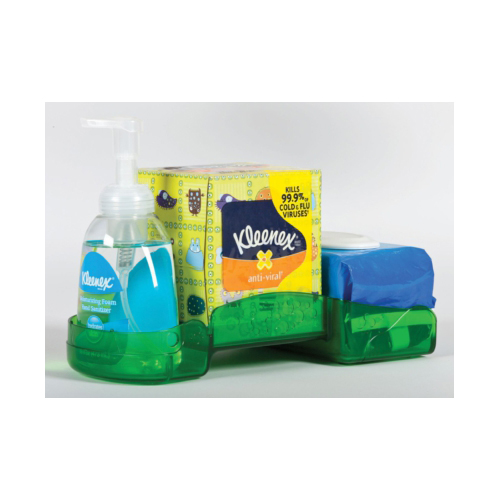
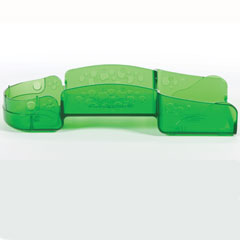
The classroom Caddy creates a fun, engaging way to promote good hygiene in the classroom. Fill it with the hand sanitizer, tissue, and surface wipes to create a Healthy Classroom Station. The Classroom Caddy boasts a durable design, suitable for use by children age 3 and above (patent pending).

36376_Classroon-Caddy_empty

Contents of the Caddy:

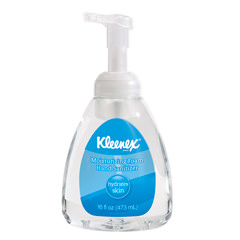
34767-KLEENEX-Moisturizing-Foam-Hand-Sanitizer

  • KLEENEX Hand Sanitizer ~ effectively kills germs on hands with a foam formula that is perfect for schools. It is 99.9% effective against most common disease-causing germs in as little as 30 seconds. One step sanitizing solution. NO rinsing required.

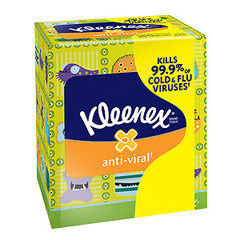
35551-KLX-ANTI

  • KLEENEX Anti-Viral Tissue ~ moisture-activated middle layer that is scientifically proven to kill cold and flu viruses.

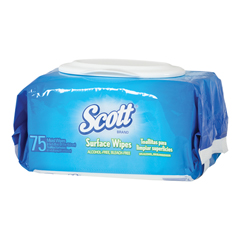
KCC35464

  • SCOTT Surface Wipes ~ safe enough for children to use. Clean high touch surfaces by removing soil, dirt, and other contaminants without the use of disinfectants. Alcohol and bleach free. Safe for children to use.

Our Review:

This is a neat innovative product! We really liked the Classroom Caddy and the Kimberly-Clark products. We used the products at home in order to do this review… but I WILL be giving a caddy filled with new products to my daughters preschool class. I wish I had more of these to go around as my other two children’s grade school classes could certainly benefit from a germ fighting kit!

On to the review… the caddy effectively fits all of the products securely and it easily fits next to the sink on the counter. The Hand sanitizer option is a nice plus. Having the sanitizer in a convenient pump and in the handy caddy location proved useful. I also liked that the sanitizer was of the foam variety. The foam seems to be easier for the children to dispense with less mess. The KLEENEX anti viral tissue is very nice. I must admit that I have not used this version of KLEENEX before this review…. But it is very soft and easy on the nose…plus it has the anti viral properties that are a large plus! Most of all I LOVED the SCOTT surface wipes. This is a great product! I often use regular sanitizing wipes on my counters and sometimes a bleach spray on the doorknobs. I LOVE the option of having an alcohol and bleach free product to wipe off the doorknobs and children’s toys, etc. This is a much safer option!

Overall we LOVE the Caddy and all of the contents. As I mentioned I intend to refill it and give it to my daughter’s preschool. I think that these are wonderful product to combat germs. How convenient not only for schools, but for anyone really! Think about it… homes, homes schools, daycares, in home daycare, etc… Wow! So many places…so many uses! Thank you Kimberly-Clark Professional!

For more information about these products and other solutions for your home or school, visit www.kcprofessional.com

Faith and Family Reviews received the following product in exchange for writing a review. While we consider it a privilege to receive free products to review, our reviews are our honest opinion and thoughts of the product.


signature

Eggy Sight Words App Review

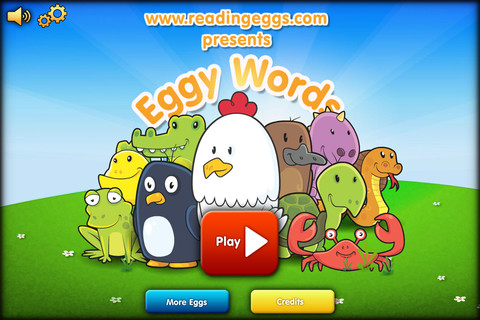
eggywords-icon-16b7f4a8a3948bbfe6ad43ffc0c45eccHere’s the next review of the Eggy Apps – Reading Eggs Sight Words. Available for your Apple products.

Eggy Sight Words App Review

Eggy Sight Words 3

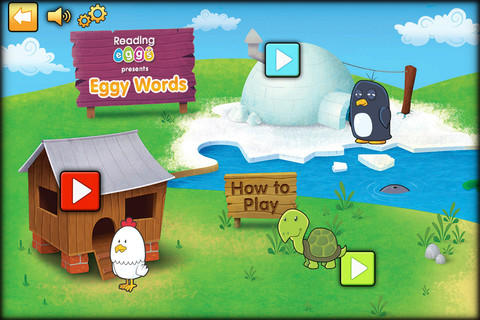
When you first begin this screen will pop up and they will ask you to select a level. This app has a total of 10 levels and 250 sight words.

Eggy sight Words 4

The options are Chicken Run, Turtle Tap, or Penguin Plunge.

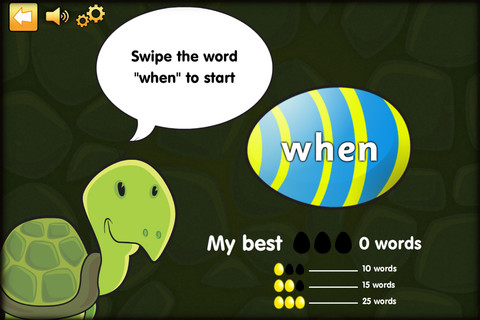
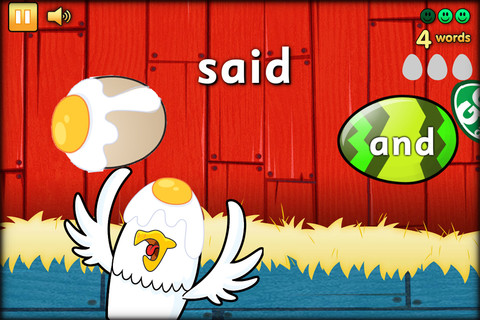
All of the options games are the same, it just matters on your animal preference you’d like to start with first.  You are given a sight word and then eggs are tossed around they have many sight words on them.  If the egg matches your word you touch it and the app will say the word.  If you choose the wrong word or miss your sight word it cracks.  As you continue to play the game the eggs go faster, watch out for the flying animals, objects and rotten eggs!  Don’t forget to collect puzzle pieces and happy face eggs along the way!

Eggy Sight Words 1

Eggy Sight words 2

When you continue on to the next round you spell the word.  It will toss eggs into the air with letters on them.  Then you choose which eggs spell your sight word.

They have a bonus round with gold eggs – you must try collect/tap 100 eggs.  If you tap an animals, pan, or other flying object, the game ends and you need to retry.  This is a great hand eye coordination tool.

In the tools section you can select and appropriate setting – Slow (age 3-4), Medium (ages 4-5), Fast (ages 6+).

Really cute app, my 4 year old daughter did okay when the eggs were going slow, once the eggs sped up it was hard for her to keep up.  This will be a great app for her once her motor skills and eyes can recognize the words faster.  When the eggs were going really fast, it was hard for me to keep up sometimes. lol….otherwise, great learning app!

Look for my next Eggy App Review – Eggy Reading


signature

Eggy Alphabet App

Eggy Alpha 1


The Eggy Alphabet App is available for your iPad and/or iPhone in the iTunes Store.

When you start up this app, it asks for your child’s name and each time you log in it will welcome your child.

The home page has 2 available activities “Letter” and “Letter Game”.

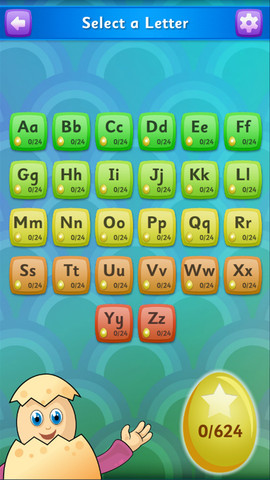
When you select “Letters” a friendly voice will tell you to select a letter.

eggy Alpha 2


After selecting a letter, they will direct you to select an activity.  Your child can select an upper case or lower case letter for their activities.  The available activities are Dot-to-Dot, Draw the Letter, Copy the Letter, or Letter or Not?

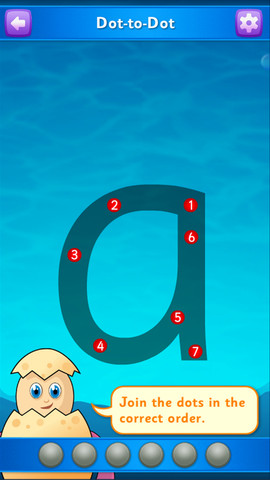
Dot-to-Dot is just that connecting the numbers to draw the letter. It will make your child repeat the letter Dot-to-Dot several times with numbers, then they will take away the numbers are show just dots, then take away the darkened letter to make your child draw the letter by themselves.  I really like the repetition of the letter.

eggy Alpha 4


Draw the letter is just that. They give you a blank page and your child will draw the letter.

Copy the letter – they give you the letter and arrows to give the direction your child should use to write the letter.

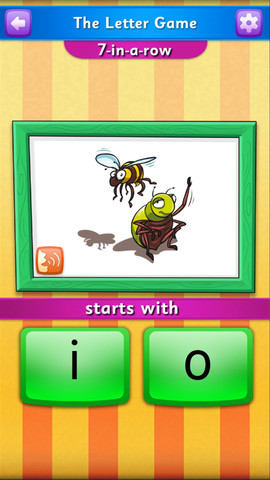
Letter or Not? and the Letter Game (From the home page) –  It will give you different pictures and ask if the picture starts with  that letter.  For example see below.

eggy Alpha 3


Does the word insect start with the letter i?  In this case yes, it does. The next picture may be a vase or flowers.

When your child finishes a level they receive a critter.  We received “Mr. Cheese the Mouse” for playing for 10 minutes straight and “Blue the Whale” for completing our first Dot-to-Dot activity.

This is a great learning app for your beginning readers, writers and learning the alphabet for your little ones.

Best of all Moms & Dads, you can check their progress!

Look for my next app review – Eggy Sight Words!


signature

Zingo! Sight Words Review – TimeToPlayMag.com

Zingo 7


I was very excited when I won an opportunity to review “Zingo!”for Timetoplaymag.com

I couldn’t wait to tell you about it!

The Thinkfun Company is spot on with this early learning game!

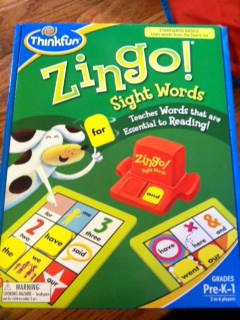
Zingo! Sight Words is a Pre-K version of the classic game of bingo except with frequently used words.

Zingo 4

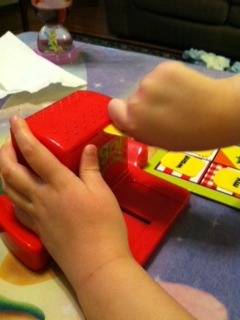
After choosing your Zingo! card, slide the “Zingo! Zinger”.  It drops 2 (Two) words, if one of the players has one of the corresponding words on their card, they first must say the word then they may place the word tile on their Zingo! card.  Play continues until all 9 spaces are covered then the winner yells “ZINGO!”

Zingo 5

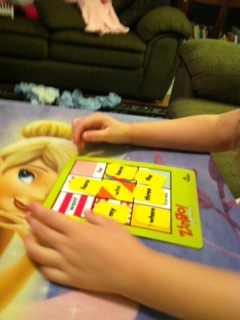
Of course you can play the game in other ways.  You can have 3 in a row or patterns (X, four corners, picture frame or Z for Zingo!), try multiple cards for more advanced players.

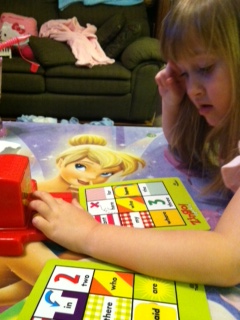
Zingo! is recommended for Pre-K to 1 and I would agree with the age range.  My daughter is 4 and not reading yet, however we used matching words so our game slowed down.  I would say the word and she would repeat it, then she needed to find it on her or my card.

Zingo 3Zingo 6


The only thing I found bothersome is you need to scramble the 72 tiles before you play for the first time. My daughter loved scrambling the tiles, but we needed to put them back int the “Zinger” before we could start the game. The other thing I noticed was the tiles were easy for me to push back in the “Zinger” but a little hard for my daughter.

Zingo 1

Great Game! We will be purchasing Zingo! for upcoming birthday parties!


ZINGO!!


signature